
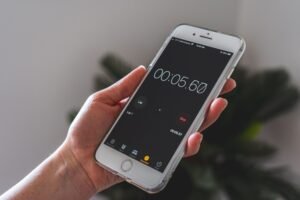
Study timer apps for students became something I actually needed during my second year of university, the week I realized I’d “studied” for six hours on a Sunday and could barely remember what I’d actually covered. I’d sat at my desk the whole time, phone nearby, but somewhere between checking messages and rereading the same paragraph four times, six hours had produced maybe ninety minutes of real work.
That realization was uncomfortable in a specific way. I wasn’t lazy, exactly — I genuinely believed I’d been studying the whole time. The problem was that nothing was actually tracking how my attention moved, so I had zero honest picture of where those six hours actually went.
Study timer apps for students exist to fix exactly that blind spot — not by making you study harder, but by giving you an honest, structured record of focused time, instead of a vague sense of having “been at your desk for a while.”
Why Students Specifically Need Structured Timing, Not Just a Clock
A regular clock tells you what time it is. It doesn’t tell you whether the last twenty-five minutes were actually focused or quietly lost to a phone notification you barely registered checking. That distinction matters enormously for studying specifically, since the whole point is sustained attention, not just physical presence at a desk. This is exactly the gap study timer apps for students are built to close.
Study timer apps for students solve this by structuring time into deliberate blocks with built-in breaks, and often by removing distractions during those blocks entirely, rather than just displaying elapsed minutes and hoping you stayed focused throughout them.
I started using one specifically because I needed proof, not just intention. A vague plan to “study more” hadn’t worked. An actual structured record of focused blocks, with breaks built in on purpose instead of happening whenever I got distracted, changed the honesty of the whole process.
What Actually Matters in a Study Timer App
Before naming specific apps, here’s what I’ve learned genuinely matters after using several of these throughout university and beyond.
Structured intervals with built-in breaks. Study timer apps for students that just count elapsed time without any interval structure miss the actual benefit — the forced breaks are what prevent the slow mental drift that ruined my six-hour Sunday.
Distraction blocking during active sessions. A timer alone doesn’t stop you from checking your phone. The most useful study timer apps for students combine timing with some form of blocking or accountability during the session itself.
A visible record of actual focused time. Being able to look back at a week and see genuine data — not a guess — about how much focused studying actually happened is one of the most valuable parts of using these tools consistently.
Low friction to start a session. If opening the app and configuring a session takes longer than the study block itself, you’ll skip it on busy days exactly like a physical planner gets left on a counter. These four things, more than any specific feature list, separate genuinely useful study timer apps for students from ones you’ll abandon by midterms.
The Study Timer Apps I’ve Actually Used
Here’s my honest take on the specific apps I’d shortlist among study timer apps for students today.
Forest
I covered this tool previously in my guide to focus timer apps that aren’t Pomodoro-based, and it works genuinely well for studying specifically too — Forest grows a virtual tree during a session that dies if you leave the app, which creates a small but real deterrent against checking your phone mid-study-block. Of every option on this list of study timer apps for students, it’s still the one I recommend first.
Among study timer apps for students, Forest’s visual consequence is what makes it stick where a plain countdown never quite did for me during those long library sessions.
Focus To-Do
Focus To-Do combines a Pomodoro-style timer with an actual task list, so you’re assigning specific study sessions to specific subjects or assignments rather than just running a generic timer disconnected from what you’re actually supposed to be working on. It’s a strong choice among study timer apps for students juggling multiple subjects at once.
Forest Study Together / Study Together Discord
Beyond solo timer apps, Study Together runs live virtual study sessions with other students, essentially recreating the accountability of studying in a library alongside people, but online. For students who study better with visible peer accountability, this social layer matters more than any timer feature alone.
Be Focused
Be Focused offers a clean, straightforward Pomodoro-style timer with task-specific tracking, syncing across devices so your study history follows you between a phone and a laptop without extra setup.
Session
I covered this tool previously in my guide to focus timer apps that aren’t Pomodoro-based, and it’s genuinely useful for students specifically because Session pairs flexible timing with actual website blocking, removing the temptation to “quickly check” something mid-session rather than relying purely on willpower.
Toggl Track
I’ve written more broadly about this tool in my guide to time management apps for freelancers, and students can use it the same way — Toggl Track logs exactly how long you spent on each subject without a countdown pressuring you, which some students prefer over a strict interval structure.
Step-by-Step: Building a Study Routine Around a Timer
This is the exact process that finally fixed my own six-hour-Sunday problem, and it applies no matter which of the study timer apps for students above you choose.
Step 1: Track a normal study session honestly for one day, without a timer. Notice how much of that time was genuinely focused versus how much drifted. This gives you an honest baseline before changing anything.
Step 2: Pick one study timer app and commit to it for two weeks. Among study timer apps for students, the value comes from consistent use, not from finding the theoretically perfect app before you’ve genuinely tried any of them.
Step 3: Set realistic interval lengths for your actual attention span. A standard 25-minute Pomodoro block doesn’t fit everyone. Some students focus better in 45 or 50-minute stretches with a longer break after.
Step 4: Turn on distraction blocking during active sessions, not just the timer. A countdown alone doesn’t stop a phone notification from derailing focus. Pair timing with actual blocking wherever the app supports it.
Step 5: Review your tracked time weekly, especially before exams. Seeing real data about how much focused studying actually happened, rather than a vague memory of “studying a lot,” is genuinely useful for planning the weeks leading up to a big test.
Real Examples of Students Using Study Timers
These examples show how differently students actually use study timer apps for students once they find the right structure for their own attention span.
A friend studying for medical school entrance exams uses Forest specifically during library sessions, since the visual consequence of a dying tree provided more real accountability than a plain countdown ever did during her longest study days. She told me her actual retention improved once sessions were genuinely uninterrupted instead of technically long but constantly fragmented.
A university student I know pairs Focus To-Do with a specific subject rotation, assigning Pomodoro blocks to different classes throughout the day rather than studying one subject for an unstructured, open-ended stretch. He said the structure alone made starting each session easier, since the decision of “what to study now” was already made in advance.
I personally still use a version of this system today, years after that six-hour Sunday that started the whole thing — not because I need to study for exams anymore, but because the same structured-block principle works for any kind of deep, focused work.
Common Mistakes Students Make With Study Timers
Nearly every failed attempt I’ve seen comes down to one of these five mistakes with study timer apps for students.
Mistake 1: Using a generic interval length without testing what actually fits. The standard 25-minute Pomodoro block works for a lot of people, but not everyone. Test different interval lengths against your actual attention span rather than assuming the default is correct for you.
Mistake 2: Treating the timer as the whole solution. Among study timer apps for students, the timer alone doesn’t guarantee focus — pairing it with distraction blocking or accountability matters just as much as the interval structure itself.
Mistake 3: Skipping breaks because you feel “in the zone.” Breaks aren’t wasted time — they’re part of what makes the following block genuinely focused rather than a slow mental drift like my original six-hour Sunday.
Mistake 4: Studying with the phone visible even during blocked sessions. Even with an app running, a visible phone creates temptation. Physically moving it out of sight during active study blocks removes a real source of distraction.
Mistake 5: Never reviewing the actual tracked data. The honest record these apps create is only useful if you actually look at it. Skipping the weekly review means missing the entire point of tracking in the first place.
My Actual Study Timer Setup
Here’s what worked for me, and what I’d genuinely recommend to a student starting from scratch with study timer apps for students:
- Forest — for sessions where phone temptation is the biggest risk, using the visual consequence as real accountability
- Focus To-Do — for assigning specific study blocks to specific subjects rather than studying generically
- A weekly review — checking actual tracked time before deciding how to plan the following week, especially before exams
A simple combination, built around the honest lesson from that six-hour Sunday — presence at a desk isn’t the same thing as actual focused time, and only a real tracking system tells the difference.
Final Thoughts
Study timer apps for students aren’t about making studying feel more gamified for its own sake — they’re about replacing a vague, often-wrong sense of “I studied a lot today” with an honest, structured record of how focused time actually was. My six-hour Sunday wasn’t a failure of effort; it was a failure of honest measurement.
Start by tracking one normal session without any tool, just to see your real baseline. Pick one of the study timer apps for students covered here and commit to it for two weeks before switching. Pair the timer with actual distraction blocking, and review the tracked data regularly, especially in the weeks before something important.
That six-hour Sunday taught me something that stuck well beyond university — time spent near your work and time spent actually working are two very different things, and only one of them moves you forward.