
TSV to JSON Converter Online
Turn a tab-separated table into clean JSON you can paste straight into your code — free in your browser, with no app and no upload. This tsv to json converter online reads your rows and columns, keeps the headers as keys, and flags any row that does not line up.
When checked, the first row becomes the keys of each JSON object. When unchecked, every row becomes an array of values.
Size
Nothing converted yet.
Paste your TSV, then press Convert to JSON. Nothing is uploaded.
Values are read as text; numbers stay as strings in the JSON.
Why Use This TSV to JSON Converter Online?
Tab-separated data shows up in more places than most people expect: spreadsheet exports, database dumps, log files, and copy-pasted tables from other apps. It is easy for a machine to write and hard for a person to read, because the columns only line up when the tab stops happen to fall right. A tsv to json converter online turns that flat table into structured JSON, where every row is an object with named fields, so the data is ready to use in code instead of stuck in a text file.
The other half of the job is catching rows that do not line up. A missing tab, an extra column, or a cell that was pasted twice will shift every value after it, and the mistake is easy to miss in a wall of tabs. This tool counts the columns in every row and compares them with the first row, so a short or long row is reported with its line number before you hand the JSON to anything else.
Privacy matters here too: this tsv to json converter online runs entirely in your browser, so your data never leaves your device — handy when the table holds customer records, prices, or anything that is not yours to share. There is no account, no sign-in, and nothing to upload. It sits in our Converters collection for every data job, from a quick spreadsheet export to a full database migration.
How to Use This TSV to JSON Converter Online in 4 Steps
- Paste your TSV. Copy your tab-separated table into the input box in this tsv to json converter online — a whole export, or just the rows you need.
- Set the headers option. Leave "First row is headers" checked if your first row names the columns. Uncheck it if every row is data and you want arrays instead of objects.
- Press Convert to JSON. The tool splits each row on its tabs, builds the JSON, and checks that every row has the same number of columns.
- Copy or download. Copy the JSON to paste into your code, or download it as a .json file.
TSV to JSON Converter Online: How Conversion Actually Works
Conversion starts with rows. The tool splits the input into lines, drops any empty lines at the end, and then splits each line on its tab characters. The first row sets the expected column count, and every row after it must match that count exactly. If a row is short or long, the tool stops and reports the row number and how many columns it found, so the bad row is easy to find. This tsv to json converter online never guesses at a ragged row — it tells you, and waits for you to fix it.
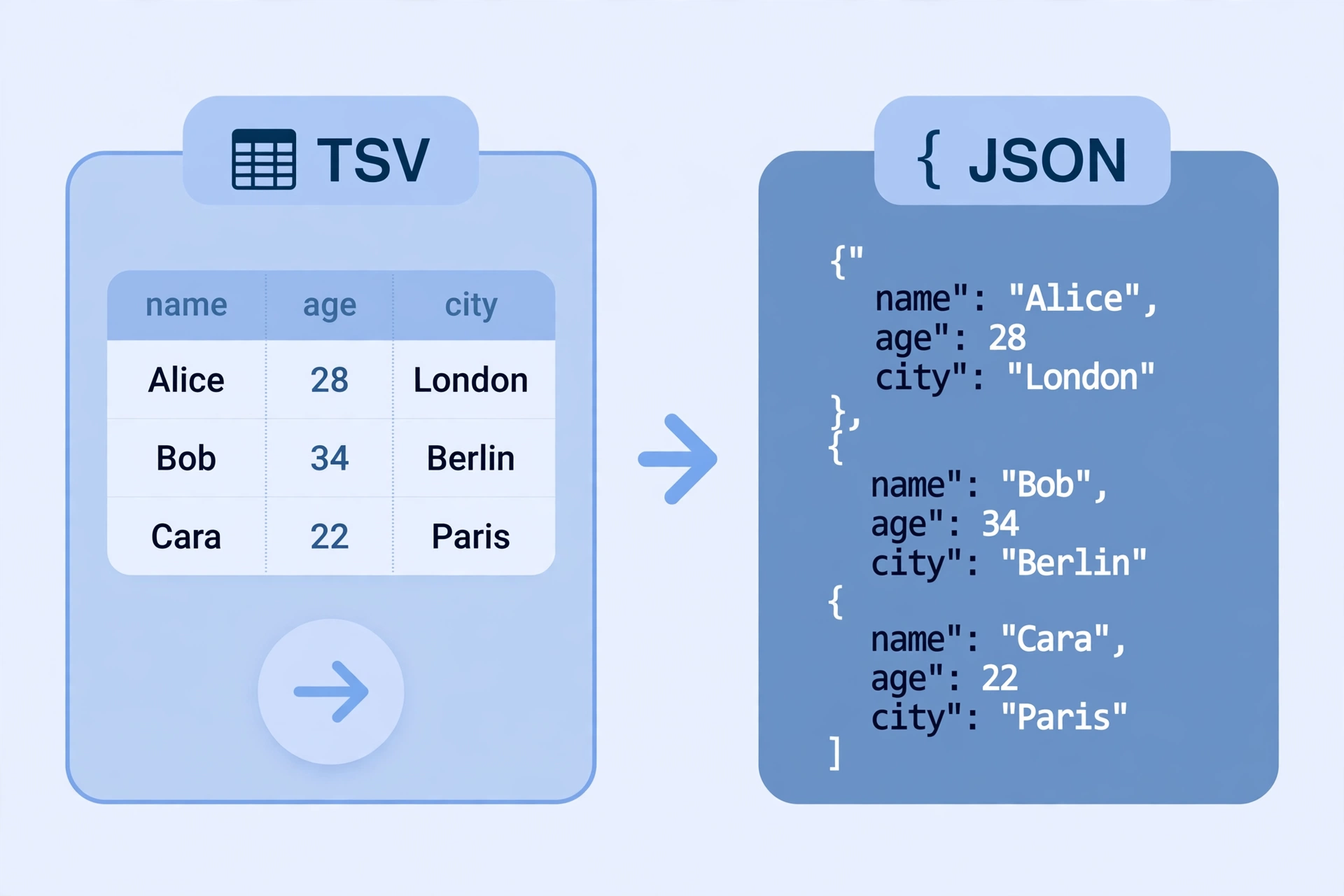
With headers on, the first row becomes the keys of each object: a table headed name, age, city turns each later row into an object like {"name": "Alex", "age": "30", "city": "London"}. If a header repeats, the later one gets a number added so no value is lost. With headers off, every row becomes a plain array of its values, in the same order as the columns. Either way, the output is indented JSON with two spaces per level, so it is easy to read and to paste into code.
One thing the tool deliberately does not do is guess at types. TSV has no types, so every cell is text, and the JSON keeps every value as a string. That protects values like "007" or "3.0", which would change if they were turned into numbers. If you need real numbers, convert them in your own code after the import. For the rules JSON itself follows, see the JSON specification.
TSV to JSON Converter Online vs Other Ways to Convert TSV
| Method | Needs installing | Handles headers | Checks row shape | Best for |
|---|---|---|---|---|
| This tsv to json converter online | No | Yes | Yes | A quick conversion in the browser |
| A spreadsheet app | Yes | Yes | No | Editing the table first |
| A script you write | Yes | If you code it | If you code it | Converting files every day |
| An online converter that uploads | No | Yes | Yes | Nothing — it uploads your data |
For a table you want as JSON right now, without installing anything or uploading your data, this tsv to json converter online is the simplest choice.
Everyday Scenarios for This TSV to JSON Converter Online
Turning a spreadsheet export into JSON with this tsv to json converter online
Your spreadsheet exports as TSV, and your app needs JSON. Copy the export, paste it here, and the headers become object keys — the result drops straight into your code as an array of named records, with no manual reformatting and no risk of a typo in a key name.
Preparing a database dump for an API with a tsv to json converter online
A database dump arrives as tab-separated rows, and the API you are feeding only accepts JSON. Convert the dump here first: the column check catches any row the export mangled, and the JSON comes out indented and ready to send, one object per row.
Cleaning up copy-pasted table data with this tsv to json converter online
A table you copied from another app pastes as tab-separated text, and you want it as data, not as a screenshot. Paste it in and convert it: with headers off you get neat arrays, and any row that lost a cell in the copy is flagged by its line number instead of silently shifting your data.
Common Mistakes When Using a TSV to JSON Converter Online
The biggest mistake is pasting CSV and expecting it to work. TSV uses tabs between columns, not commas, so a comma-separated file will convert into one-column rows with the commas still inside the values. If your output looks like single long strings, check that the source really is tab-separated — copying from a spreadsheet usually gives you tabs, but an export labelled CSV will not.
The second mistake is leaving the headers option on when the first row is data. The first row then becomes the keys, and your real first record disappears into the key names. The third mistake is expecting numbers back: this tool keeps every value as a string on purpose, so "30" in the JSON is text, not a number, until you convert it yourself. Check the output once before you use it, and a wrong header setting shows up at once.
TSV to JSON Converter Online: Frequently Asked Questions
No. This tsv to json converter online runs entirely in your browser. The TSV you paste is used only on your own device and is never uploaded, stored, or sent to a server.
TSV stands for tab-separated values: a plain-text table where each row is a line and each column is separated by a tab character. Spreadsheets and databases export TSV because tabs almost never appear inside the data itself.
When "First row is headers" is on, the first row becomes the keys of each JSON object, so a row becomes {"name": "Alex", "age": "30"}. When it is off, every row becomes a plain array of values, such as ["Alex", "30"].
TSV has no types — every cell is just text. This tool keeps every value as a string so nothing is silently changed: "007" stays "007" and "3.0" stays "3.0". Convert the values to numbers in your own code if you need them as numbers.
It contains the same JSON shown in the output box, saved as a .json file, ready to paste into your code, import into a database, or open in an editor.
In short, this tsv to json converter online is the fast, private way to turn any tab-separated table into clean JSON — paste it in, convert it, and take the JSON away.