
URL Query String Parser Online
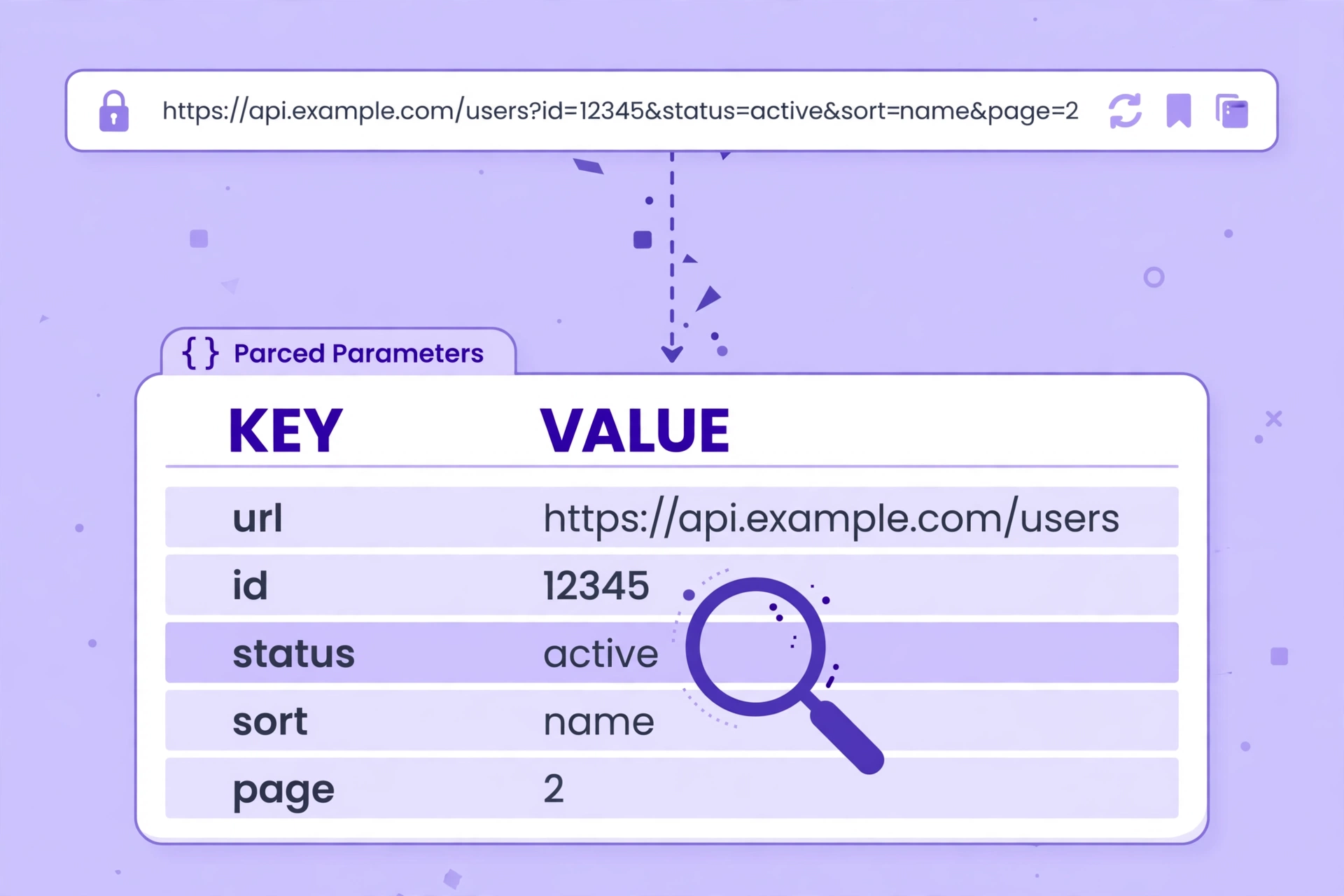
Paste a link and see exactly what it carries — every parameter, every value, decoded and laid out in a table — free in your browser, with no app and no upload. This url query string parser online reads the part of a URL after the question mark, so a long tracking link stops being a mystery.
| Parameter | Value |
|---|
One or more values could not be decoded and are shown exactly as they appear in the URL.
Paste a URL, then press Parse. Nothing is uploaded.
Parsing only — nothing is fetched, so a URL that needs a login still parses fine. Anything after a # is a fragment, not part of the query string, and is ignored.
Why Use This URL Query String Parser Online?
A URL often carries more than an address. After the question mark comes the query string: a list of parameters and values that tell the page what to show, what to search for, or where the visitor came from. A single link can hold a dozen of them, all jammed together with & signs and percent-encoded characters, and reading them by eye is slow and error-prone. A url query string parser online splits that string into a clean table, one row per parameter, so you can see each value at a glance.
The other half of the job is decoding. Browsers percent-encode special characters in URLs, so a space becomes %20, an & becomes %26, and a whole phrase can look like alphabet soup. The parser decodes each value back to readable text, and shows duplicate parameters as separate rows instead of silently dropping all but one — which matters, because a link can carry the same parameter twice on purpose.
Privacy matters here too: this url query string parser online runs entirely in your browser, so the link you paste never leaves your device — handy when the URL holds a session token, a tracking ID, or anything you would rather not share. There is no account, no sign-in, and nothing to upload, and nothing is fetched: the parser only reads the text you paste. It sits in our Developer Tools collection for every URL job, from a quick link check to a full tracking audit.
How to Use This URL Query String Parser Online in 4 Steps
- Paste your URL. Copy the full link into the box in this url query string parser online — or paste just the query string, starting with ?.
- Press Parse. The tool splits the query string on its & signs, separates each parameter from its value, and decodes the percent-encoding.
- Read the table. Every parameter gets its own row, with duplicates shown as separate rows, and the parameter count shown above the table.
- Copy as JSON. Copy the parameters as JSON to paste into your code, a ticket, or a report.
URL Query String Parser Online: How Parsing Actually Works
Parsing starts at the question mark. Everything before it is the page address, and everything after it is the query string, so the tool takes the part after the first ? and ignores anything after a # — that is the fragment, which points to a place on the page and is never part of the query. This url query string parser online then splits the query on its & signs, giving one piece per parameter, and splits each piece on its first = sign, giving the parameter name on the left and the value on the right.
Decoding comes next. Each name and value is percent-decoded, so %20 becomes a space and %26 becomes an &, and a + is read as a space, as query strings intend it. If a value is so badly encoded that it cannot be decoded — a lone % with nothing after it, for example — the tool shows the value exactly as it appears in the URL and says so in a note, instead of dropping the row. A parameter with no = sign at all is shown with an empty value, which is what the URL means.
One thing the tool deliberately does not do is fetch the URL. Parsing only reads the text you paste, so a link behind a login, a link to a page that no longer exists, and a link you have not visited yet all parse exactly the same way. The parser never sends a request anywhere, which is also why it is safe to paste a link you do not trust. For the standard the browser itself uses to read query strings, see the MDN page on URLSearchParams.
URL Query String Parser Online vs Other Ways to Read a URL
| Method | Needs installing | Decodes values | Shows duplicates | Best for |
|---|---|---|---|---|
| This url query string parser online | No | Yes | Yes | A quick look at a link |
| Reading the URL by eye | No | No | Yes, slowly | A link with one parameter |
| Browser developer tools | No | Yes | Yes | Debugging your own site |
| An online parser that uploads | No | Yes | Sometimes | Nothing — it uploads your link |
For a link you want understood right now, without installing anything or uploading the URL, this url query string parser online is the simplest choice.
Everyday Scenarios for This URL Query String Parser Online
Checking a tracking link with this url query string parser online
A marketing link arrives full of utm_source, utm_medium, and utm_campaign, and you want to know what it actually tracks. Paste it in and the parameters appear as a table — each campaign tag on its own row, decoded and readable, with no need to pick the URL apart by hand.
Debugging a broken filter with a url query string parser online
A search page keeps showing the wrong results, and you suspect the link is carrying a stale filter. Parse the URL and check the rows: a duplicated parameter, a mistyped value, or an encoded character that decoded wrongly shows up at once, and you know what to fix.
Reading an API example with this url query string parser online
Documentation shows a long example URL with five parameters, and you want to see what each one does. Paste it in, read the table, and each parameter is named and decoded — a faster start than copying the URL into code and guessing at the pieces.
Common Mistakes When Using a URL Query String Parser Online
The biggest mistake is pasting a URL with no query string and expecting a table. If there is no question mark, there are no parameters — the tool will say so plainly. The same goes for pasting only the page address and leaving the query behind: check that the ? and everything after it made it into the box.
The second mistake is forgetting that a # starts a fragment, not a parameter. Anything after the # points to a place on the page and is never part of the query string, so the parser ignores it on purpose. If a value seems to be missing, check whether it sits after a # in the original link — that is where it went, and the parser only reports what the query itself contains.
URL Query String Parser Online: Frequently Asked Questions
No. This url query string parser online runs entirely in your browser. The URL you paste is used only on your own device and is never uploaded, stored, or sent to a server.
A query string is the part of a URL after the question mark: a list of parameters and values joined by & signs, such as ?q=shoes&page=2. It tells the page what to show, what to search for, or where the visitor came from.
Each occurrence gets its own row in the table, so ?tag=a&tag=b shows two rows, both named tag. Nothing is dropped, because a link can carry the same parameter twice on purpose.
Because they could not be decoded. A value with a broken percent-encoding, like a lone % with nothing after it, cannot be turned back into readable text, so the tool shows it as given and says so in a note.
No. Parsing only reads the text you paste, so a URL behind a login or a page that no longer exists parses exactly the same as any other link. Nothing is ever requested from the server.
In short, this url query string parser online is the fast, private way to see what any link carries — paste it in, read the table, and take the parameters away.