
Duplicate Line Remover Online
Pasted a list and found the same line twice — or twenty times? This duplicate line remover online cleans it up in one click, keeping the first copy of every line and dropping the rest, in the same order you pasted them. No sign-up, no upload, and nothing leaves your browser.
Paste a list and click Remove duplicates to see the counts.
Paste your list, pick any options, and click Remove duplicates. Nothing is uploaded.
Only exact lines count as duplicates — after the options you chose. Lines that mean the same thing but are written differently stay, because guessing which lines "mean" the same would risk deleting lines you wanted to keep.
Why Use This Duplicate Line Remover Online?
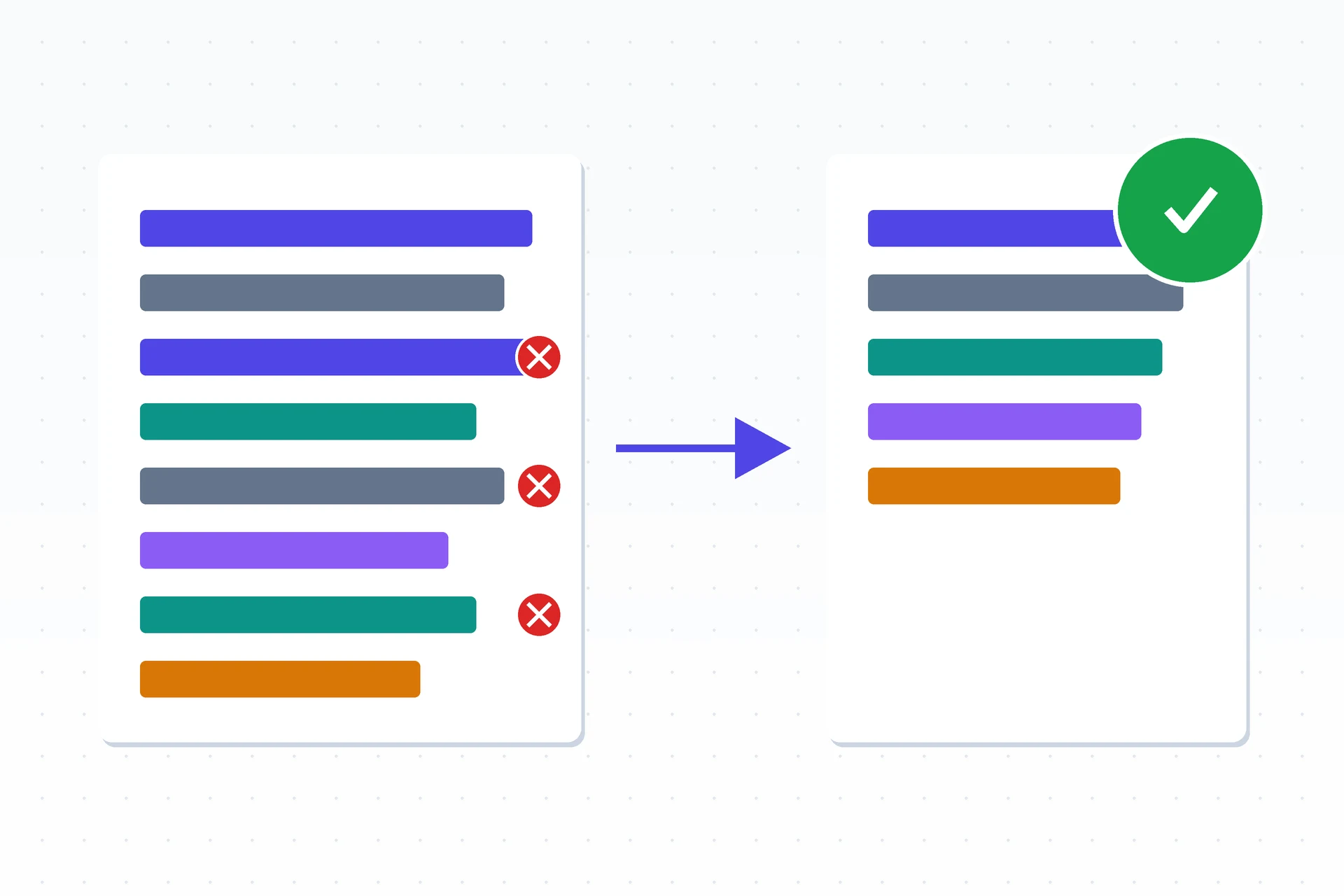
Lists pick up duplicates faster than anyone notices. Two spreadsheets get merged, a mailing list gets exported twice, a log file repeats the same entry, and suddenly the same line appears five times. Counting by hand is slow and error-prone, and sorting the list to find repeats destroys the order that mattered. A duplicate line remover online does the job in seconds: it keeps the first copy of every line, drops every later copy, and leaves the order untouched, so the list comes out clean without losing its shape.
The options matter as much as the removal. The same name typed with different capital letters is still the same name, a trailing space should not make two lines different, and a list full of blank lines is not a clean list. Case-insensitive matching, trimming, and blank-line removal turn a rough paste into a tidy list without a second pass — and because you choose which options apply, the tool only merges lines the way you asked it to.
Privacy matters here too: this duplicate line remover online runs entirely in your browser, so the list you paste never leaves your device. There is no account, no sign-in, and nothing to upload. It sits in our Text Utilities collection for every small cleanup job, from a mailing list to a block of copied text.
How to Use This Duplicate Line Remover Online in 4 Steps
- Paste your list. Drop the text into the box — this duplicate line remover online keeps the first copy of every line and the original order.
- Pick your options. Turn on case-insensitive matching, blank-line removal, or trimming if your list needs them.
- Click Remove duplicates. The cleaned list appears with a count of what was removed.
- Copy or download it. Use the Copy button, or save the result as a .txt file.
Duplicate Line Remover Online: How Deduping Actually Works
The tool reads your text one line at a time and remembers every line it has already seen. The first time a line appears, it goes into the result; every later copy is skipped. Because lines are checked in the order they arrive, the first copy always wins and the original order is preserved — nothing is sorted, and nothing moves. This duplicate line remover online does all of that in your browser, so even a long list is cleaned in a moment, with no waiting and no upload.
The three options change what counts as "the same line". Case-insensitive matching treats "Apple" and "apple" as duplicates. Trimming removes spaces and tabs from the start and end of each line before comparing, so "apple " matches "apple" — and the trimmed line is what appears in the result. Ignoring blank lines drops empty lines entirely instead of keeping one copy of them. With all three off, only lines that are exactly identical, character for character, count as duplicates.
One detail worth knowing is that only exact lines count. Two lines that mean the same thing but are written differently — "New York" and "New York City", or a name with a typo — are not duplicates to this tool and will both stay. That is by design: guessing which lines "mean" the same thing would risk deleting lines you wanted to keep. The string handling behind the comparison follows the standard rules documented in MDN's String reference.
Duplicate Line Remover Online vs Other Ways to Clean a List
| Method | Needs installing | Keeps original order | Case options | Best for |
|---|---|---|---|---|
| This duplicate line remover online | No | Yes | Yes | A list in a minute |
| Sorting in a spreadsheet | Yes | No | Sometimes | Data you already keep in sheets |
| A text editor's find and replace | Yes | Yes | Sometimes | A handful of known repeats |
| Deleting by hand | No | Yes | You do | A list of five lines |
For a list you want clean right now, in the order you pasted it, with no software to open, this duplicate line remover online is the simplest choice.
Everyday Scenarios for This Duplicate Line Remover Online
Cleaning a mailing list with this duplicate line remover online
Two exports from the same signup form overlap, and half the addresses appear twice. Paste the combined list, turn on case-insensitive matching and trimming, and remove the duplicates — every subscriber stays, nobody gets the email twice, and the order of signups is preserved.
Tidying a copied list of links
You copied URLs from three different pages and the same links show up again and again. Paste them all in, remove the duplicates, and copy the clean list back — the first mention of each link stays where it was, and the repeats are gone.
Deduping log lines with this duplicate line remover online
A log file repeats the same error line hundreds of times, burying the lines that matter. Paste the block, remove the duplicates, and the one copy of each distinct line that remains is much easier to read — the pattern of errors becomes visible at a glance.
Common Mistakes When Using a Duplicate Line Remover Online
The biggest mistake is forgetting that only exact lines count as duplicates. "John Smith" and "John Smith" with two spaces look identical on screen but are different lines unless trimming is on, and "Apple" and "apple" are different lines unless case-insensitive matching is on. Turn on the options that match how your list was typed, and if two lines you expected to merge stay separate, look for a hidden space or a capital letter.
The second mistake is pasting a list that was never meant to be deduped line by line. A paragraph of prose, a block of code, or a list where the same line appearing twice is meaningful — like repeated entries in a count — will lose lines you wanted. This tool is for lists where each line stands alone, not for text where repetition carries meaning, so check the stats line before you copy the result.
Duplicate Line Remover Online: Frequently Asked Questions
No. This duplicate line remover online runs entirely in your browser. The text you paste is used only on your own device and is never uploaded, stored, or sent to a server.
The first one. Lines are checked in the order you pasted them, so the first copy of each line stays where it was and every later copy is removed. The original order is never changed.
Case-insensitive matching treats 'Apple' and 'apple' as the same line. Trimming removes spaces and tabs from the ends of each line before comparing. Ignoring blank lines drops empty lines instead of keeping one copy of them.
Yes. The whole job runs in your browser, so even a list of tens of thousands of lines is cleaned in a moment. If the list is extremely long, give the page a second to finish before copying the result.
They differ somewhere — a capital letter, a trailing space, or a hidden character. Turn on case-insensitive matching and trimming, and check for extra spaces; lines that only look alike but are spelled differently are not duplicates.
In short, this duplicate line remover online is the fast, private way to clean a list — paste it in, drop the repeats, and copy the tidy result straight back into your work.